A few hundred labels, four versions, clear material and a custom shape: how to handle an order like this in-house with a CMYK plus white press and digital die cutting, with no physical dies and no outside suppliers.
Producing short-run labels in-house takes two things: a digital roll label press that also prints white, and a digital die cutter that cuts any shape without physical dies. With both stages in-house, an order for a few hundred labels in four versions, on clear material and with a custom shape, is handled in-house, without waiting on an outside supplier's lead times.
This guide takes up and adapts for the Italian market the practical guide to short-run label production published by Anytron, whose distributor in Italy is Print Solution. The machines mentioned can be seen running in our demo room in Sesto San Giovanni.
Why a short run is more work than it looks
Two orders with the same number of labels can take very different amounts of time. The first has one design, one material and a rectangular shape. The second has four versions, two sizes, white under the logo and a custom outline.
In the second case the operator checks every version, matches the cutting file to the artwork and sets the machine up for the chosen material. These steps take time even when only a few dozen pieces of each version are needed.
This is why the press's top speed, on its own, does not tell you how long an order takes to complete. File preparation and job changeovers matter. A digital workflow, where artwork and cutting are both files, makes these steps repeatable and lets you move from one job to the next without tooling.
Printing and finishing: two stages, one in-house workflow
In-house production consists of two machines working in sequence.
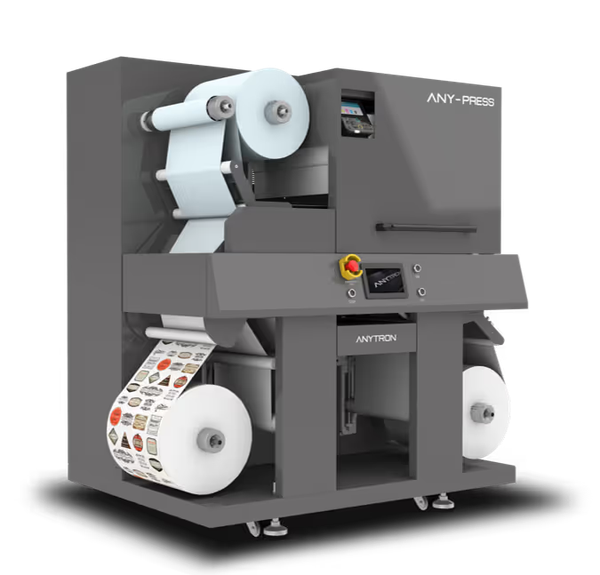
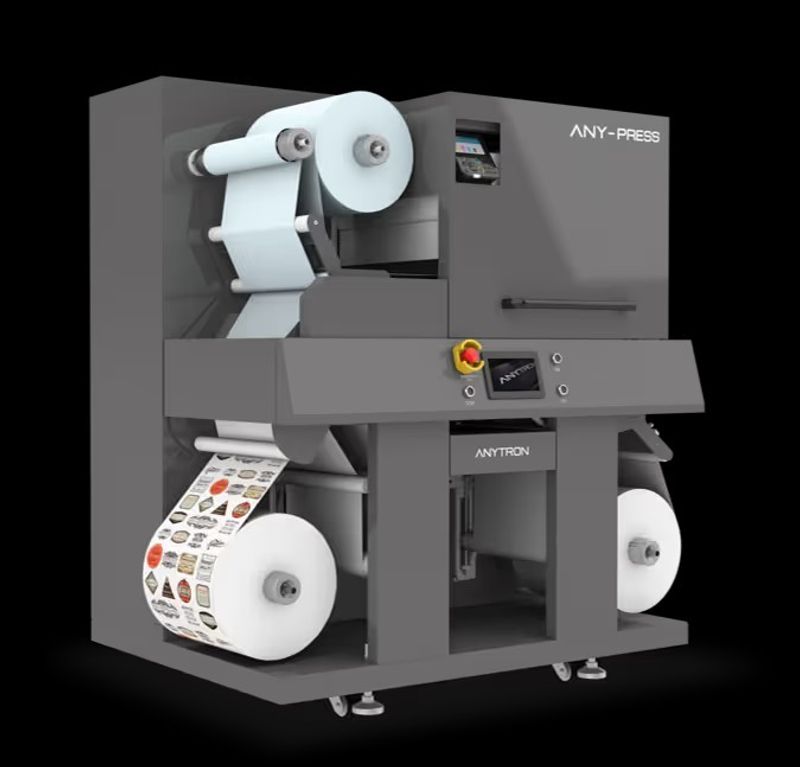
Printing. ANY-PRESS is a five-colour LED toner press, CMYK plus opaque white, with 1200 x 1200 dpi resolution, 5 m/min speed and a print width of up to 324 mm. It prints on most untreated materials, with no dedicated coated stocks, and can be fitted with an optional integrated laminator.
Finishing. After printing, the roll moves to a digital die cutter. There are two types: plotter-based, with a blade that follows the path, suited to small batches and prototypes; semi-rotary, faster, for higher volumes. Both cut any shape from a file, with no physical dies. Depending on the order, finishing includes lamination, cutting, matrix removal, slitting and rewinding. The digital die cutters we offer are on the roll label printers and finishing page.
| Stage | Machine | What it does |
|---|---|---|
| Printing | ANY-PRESS | LED toner CMYK + white, 1200 dpi, 324 mm |
| Finishing, small batches | Digital plotter die cutter | Blade cutting from file, any shape |
| Finishing, higher volumes | Digital semi-rotary die cutter | Faster cutting from file, with matrix removal and rewinding |
The two stages are separate, so the production plan has to allow for moving the roll from one machine to the other. In return, both the printed artwork and the finished roll stay under your department's control.
Opaque white: clear, dark, metallic and kraft stock
The material under the print changes the result. On white stock, CMYK colours have a bright base that makes them stand out. On clear, dark or metallic material, colours on their own look washed out or disappear: CMYK inks and toners are semi-transparent and need an opaque base.
ANY-PRESS prints white as a fifth colour, in the same pass as CMYK. White can be part of the visible design or a base under the colours, only where needed.
Clear labels
On a clear label, white supports the logo and product name while the rest of the surface stays transparent. You can also print text or graphics in white only, with no colour on top.
Watch the container: the same label on a clear bottle, an amber one or a coloured product gives different results. Before approving the job, test a sample on the real container.
Dark and metallic labels
On dark stock, selective white makes text and graphics stand out, while unprinted areas keep the colour of the material. On metallic stock, white placement decides where the reflective surface stays visible: some areas keep the metallic effect, others get white under the colours.
Kraft paper
On kraft, brown or recycled, white brings colours back to their natural rendering where needed and leaves the paper showing where you want the material effect. It is the same logic we apply to kraft bags and boxes printed with our packaging printers.
The result always depends on the combination of artwork and material: a printed sample is worth more than any simulation.
Digital die cutting: custom shapes without dies
Not every customer wants a rectangle. A bottle may need a narrow label, a gift pack a shaped seal.
With a digital die cutter the shape is a file, not a tool. A new outline is prepared on the computer and cut straight away, without ordering a dedicated die and without waiting for it. The same goes for reorders with a different shape.
Digital cutting does, however, need accurate files. Before quoting, check:
- the bleed and the cut path;
- the spacing between labels, which must allow matrix removal;
- the complexity of the outline: an intricate contour may need different settings from a rectangle and more cutting time.
Keeping lead times under control
Printing does not complete the order. Cutting, matrix removal and preparing the rolls in the required format still remain. If one of these stages is handled by another company, their lead times become yours.
With printing and finishing in-house, the department coordinates both stages. The operator can print and cut a sample, get it approved, correct the files and then complete the run, with a clear view of what is left before dispatch.
A practical tip: agree with the customer early on roll width, core diameter, winding direction and maximum roll diameter. These details are decisive when the labels go on an automatic applicator.
Changes and reorders
A food producer adds a flavour, a bakery launches its Christmas line, an event organiser comes back with new names and dates. With artwork and cutting on file, these updates are handled without new tooling. ANY-PRESS prints updated artwork and supports variable data, such as barcodes, QR codes, batch numbers and expiry dates that differ on every label.
Some changes only affect the artwork, others require a different size or material. Keep approved files and the settings used in order, so the department knows what to reuse and what to check again.
Where to start: the customers you already have
Print shops, copy centres and sign makers already serve businesses that need labels. Whoever orders material for a product launch often needs labels for the packaging too; whoever prepares a seasonal campaign has gift boxes and promotional packs to label.
They are the simplest starting point, because you already know the customer and the brief. Before quoting, confirm material, quantity per design, size and application method. Also ask what might change on the next order: a real job for a real customer is the best way to assess whether in-house production pays off.
Measure the complete job, not print speed
Maximum printing and cutting speeds are useful references, but they do not describe the work. File preparation, setup, roll transfer and final inspection weigh as much as printing.
To assess in-house production, follow a representative order through the whole process and record time, material used, operator hours and final quality. The order mix counts too: several designs on the same material require fewer changeovers than jobs with different materials and shapes. So test jobs similar to the ones your business actually receives.
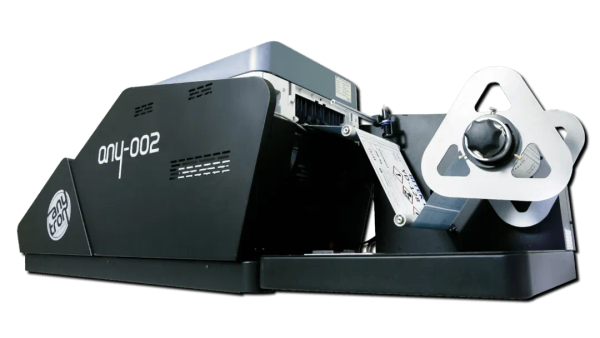
If you want to work out which roll press suits you among toner, dye and pigment inkjet, we have a guide to choosing a roll label printer. And if you would like to see how a food company brought all its labels in-house, read the case of the egg producer with two ANY-002 presses.
Test with your own files and materials
The quickest way to find out whether in-house production pays off is to print and cut one of your real jobs. Bring your files and rolls to our demo room in Sesto San Giovanni (Milan): we print white on clear stock, cut the shape and hand you the finished roll. Call +39 02 4943 9417 or write to us from the roll label printers page.
Sources
- Anytron, "A Practical Guide to Short-Run Label Production", October 2026.
- ANY-PRESS technical sheet.